
Upload a list of companies, then find the key decision makers at those companies.
Prerequisites
- You are on a Small Teams, Teams Pro or Enterprise plan with Firmable.
Upload your list
- Click the Data exchange icon in the top navigation, then click Upload CSV.
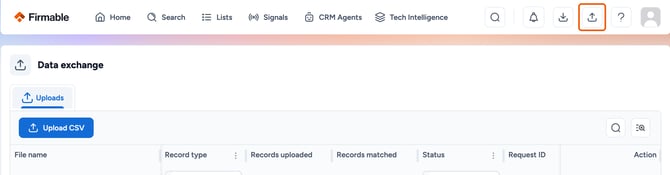
- Select Company data, upload your CSV and click Continue. On the next step, name your list, for example "Target accounts", or add the records to an existing list.
- When matching finishes, click Refine or create new lists to open the list.
Your file needs at least one of company name, website, LinkedIn URL, ABN or Firmable ID, and can have up to 5,000 rows and be up to 2.5 MB. For the full file requirements and each upload step, see How to use Data exchange.
Find the decision makers
- In the list, click Apply search filters. This opens a new search limited to the companies in your list.
- Add the people filters you need, for example Seniority set to C-Suite / Partner.
- Open the People tab to see the people at those companies. Add filters such as Mobile available (People) or Work email if you need them.
Learn more
- How to use Data exchange
- How to apply additional filters
- How to use company activity filters