You can change your password from your account settings while you're logged in. If you've forgotten your password, follow How to reset your Firmable password instead.
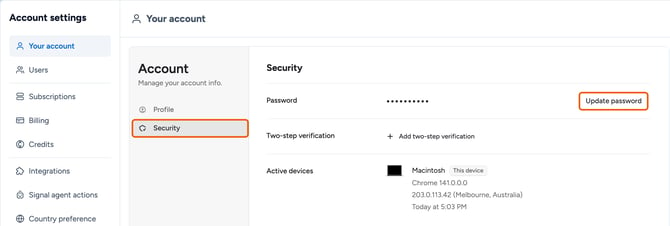
- Click your profile picture (top right) and select Manage account.
- In Your account, click Security, then click Update password.
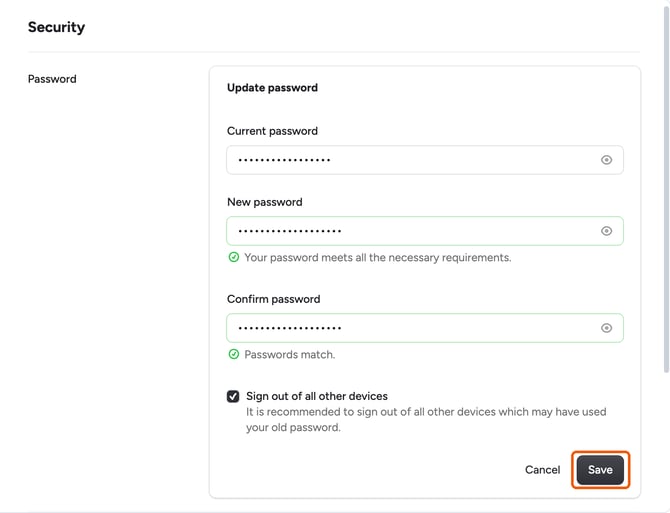
- Enter your current password, then enter your new password and enter it again to confirm it.
- Optional: select Sign out of all other devices to log out any other browser or device that was using your old password.
- Click Save.