
Custom employee count ranges, one contact per company, and field-level export control are all live. Webhooks now connect Firmable to your favourite tools in real time, and the browser extension is now available inside HubSpot and Salesforce.
Filter by 1 contact per company.
You can now limit your people search results to one contact per company. This is useful when building broad prospect lists where you need a single point of contact per account – keeping your outreach focused and your lists clean without any manual deduplication. Use it alongside your existing ICP filters to build tighter, more actionable lists.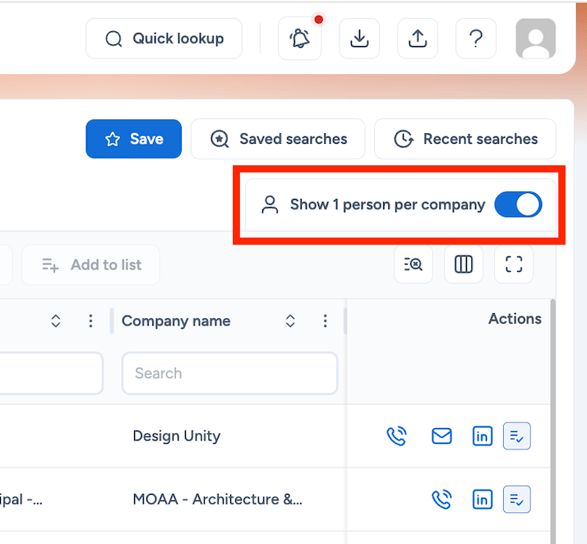
Learn more about filters
Select a custom employee count range
You can now set a custom minimum and maximum employee count when filtering your company search. Rather than selecting from preset ranges, enter the exact headcount that fits your ICP – whether you're targeting mid-market businesses or smaller start-ups within a specific band. Use it alongside your other firmographic filters to build more precise account lists.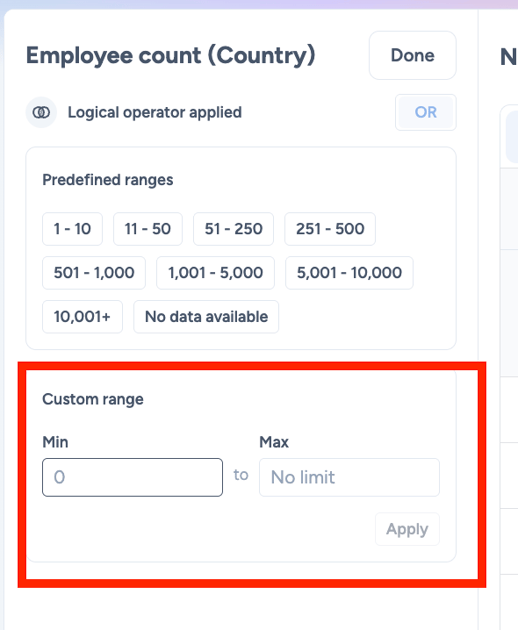
Connect Firmable to your tech stack with Webhooks (beta)
Firmable Webhooks let you automatically send enriched company and people data to your favourite tools in real time. Connect to Zapier, Make, or n8n to push records into your CRM, trigger outreach sequences, and more – all from one click. This is especially useful for teams looking to automate their data workflows without any manual exporting or copying between tools.
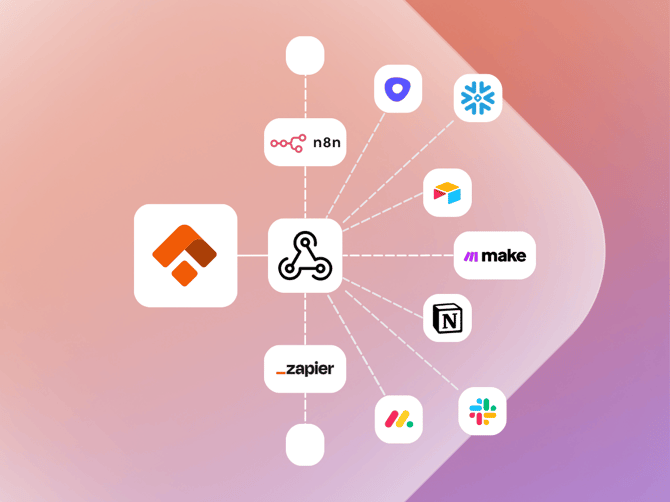
For more information, take a look at our webhook help guides below:
How to use Webhooks in Firmable
Troubleshooting Firmable Webhooks
Firmable Webhook FAQs
Choose exactly which fields to include in your export
When downloading records, you can now select exactly which fields to include in your export. Rather than working through a full data dump and removing columns you don't need, you can tailor your export from the start – so your file is clean, focused, and ready to use straight away.
This is especially useful when sharing lists with teammates, importing into your CRM, or building outreach sequences where only specific fields are required. Select the fields that matter, download, and go..png?width=670&height=503&name=Customise%20exports%20-%20Background%20(1).png)
Browser extension now available in HubSpot and Salesforce
The Firmable browser extension now works inside HubSpot and Salesforce, so you can access Firmable's data without leaving your CRM. View company and people insights, enrich records, and add contacts directly to your lists or sales process – all from the tools you're already working in.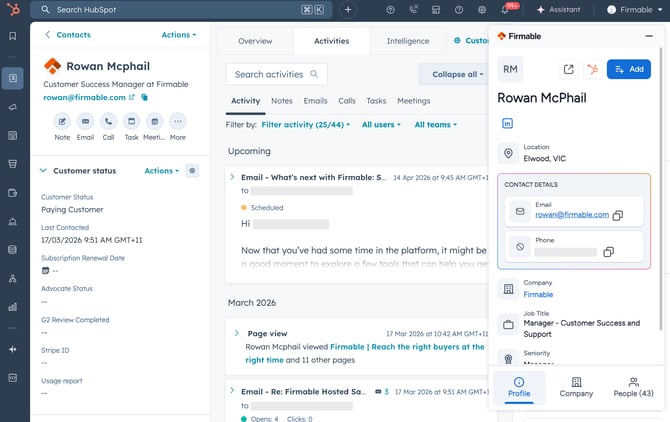
If you haven't set up the browser extension yet, you can find the steps for Chrome or Edge here.
Customer story: Lineer improves connect rates across APAC
Lineer used Firmable to solve a persistent data accuracy problem across Australia and the Asia-Pacific region. With verified contact details, buying signals, and a platform their SDRs could use from day one, Lineer lifted connect rates, reduced bounce rates, and built a more reliable outbound engine – without adding complexity to their sales motion.
It’s time to try our latest features for yourself! Log in to Firmable now.
Don’t yet have an account? Sign up today.