
Prerequisites
- You are on a Small Teams or Teams Pro plan with Firmable.
- You have the Admin, Manager, Partner or Integration role on Firmable and the Admin role in Pipedrive.
There are two common situations you may need to handle when linking contacts to companies in Pipedrive. Choose the scenario that matches how your data is set up.
Scenario 1: Companies pushed from Firmable
Map people records to company records that have already been pushed from Firmable, using the company domain (FQDN) as the identifier.
Scenario 2: Companies already in your CRM
Map people records to organisations that already exist in Pipedrive, using the company name stored in a custom field as the lookup.
Scenario 1: Matching by domain (Firmable-pushed companies)
This is the recommended approach. It uses the company's domain (FQDN) as a reliable, unique identifier to find the matching organisation in Pipedrive.
Workflow steps
- Trigger on person creation: use the Pipedrive trigger node, configured to fire when a new person record is created.
- Get the person record: retrieve the full person details using a Get a Person node.
- Extract the domain from the email address: use a Code node to parse the email and return just the domain portion.
- Check if the domain exists: use an If node to ensure the domain value is not empty before proceeding.
- Search Pipedrive for the organisation: search using the custom field mapped to FQDN.
- Update the person record: link the person to the matching organisation by setting the
org_idfield.
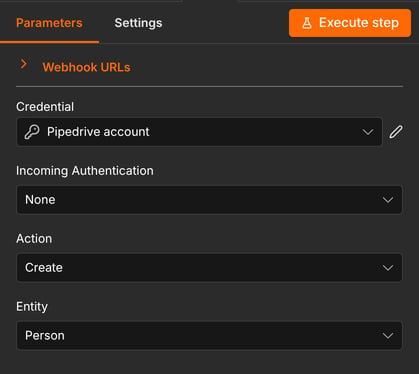
Configure the Pipedrive trigger to fire on person creation events.
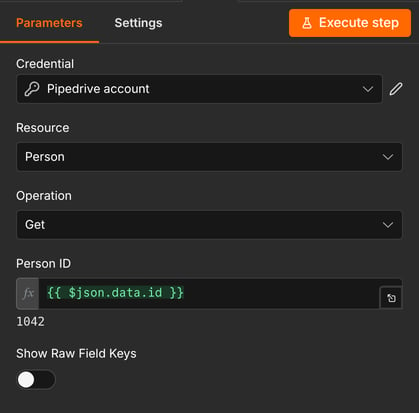
Retrieve the full person record to access their email address for domain extraction.
Extracting the domain from the email address
This Code node extracts the domain portion from the person's email address, which is then used to search for the matching organisation in Pipedrive.
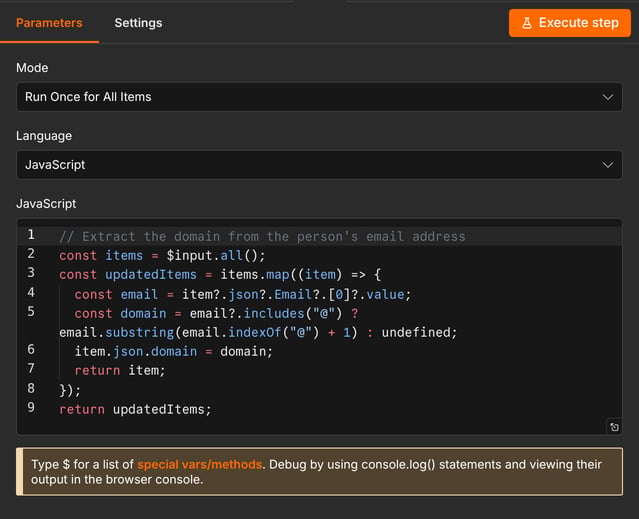
The Code node parses the person's email address and appends the domain to the item payload.
// Extract the domain from the person's email address
const items = $input.all();

const updatedItems = items.map((item) => {
  const email = item?.json?.Email?.[0]?.value;
  const domain = email?.includes("@") ? email.substring(email.indexOf("@") + 1) : undefined;
  item.json.domain = domain;
  return item;
});

return updatedItems;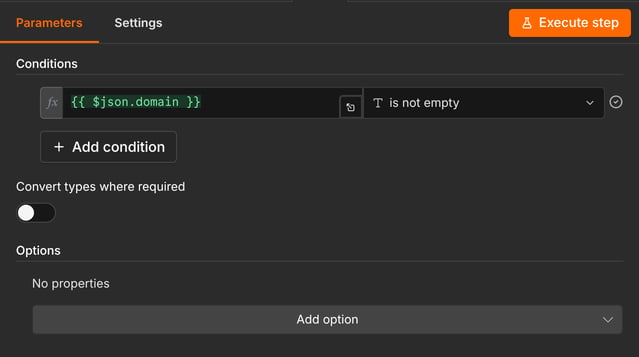
The If node checks whether a domain value exists before attempting the organisation search.
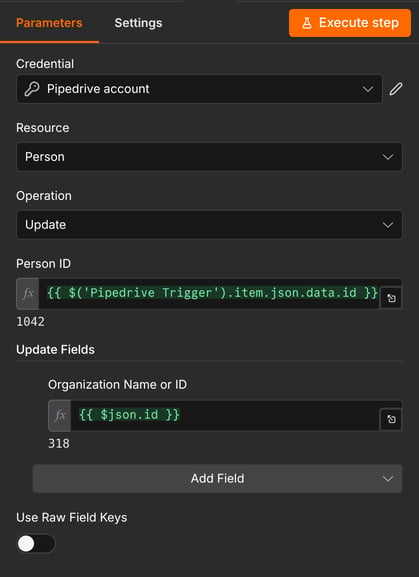
The Update a Person node sets the org_id field using the ID returned from the organisation search.
Scenario 2: Matching by company name (existing CRM companies)
Use this approach when company records already exist in Pipedrive and were not pushed from Firmable. The lookup is based on the organisation name stored in a custom field on the person record.
Note: This flow can be less reliable because it matches on company name, which is not a guaranteed unique identifier. There may be better identifiers available depending on your data setup, so it's worth investigating before building this workflow at scale.
Workflow steps
- Map the company name to the person record using a custom field before this workflow runs.
- Trigger on person creation using the Pipedrive trigger node.
- Get the person record using a Get a Person node, so the company name custom field is available to the search.
- Search Pipedrive for an organisation using the company name from the custom field.
- Update the person record with the matching organisation ID.
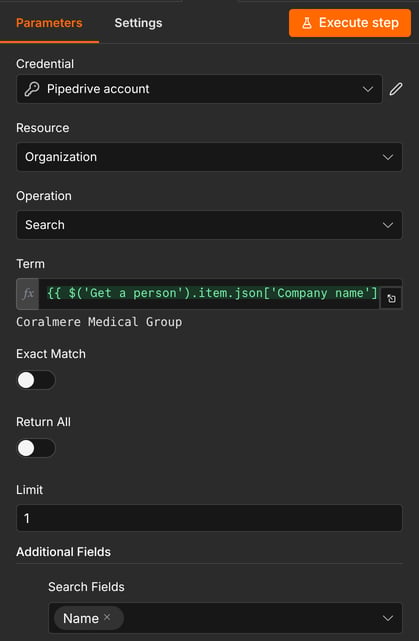
This node searches Pipedrive for an organisation matching the company name. Note: this assumes the company already exists in Pipedrive.
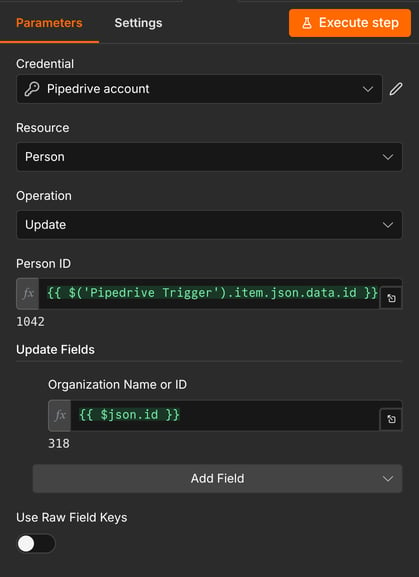
Map the organisation ID returned from the search to update the person record and create the link.