
What is the HQ by State filter?
Firmable's HQ by State filter lets you narrow company search results by the specific state where a company's headquarters is located, giving greater geographic precision on top of country level filtering.
For example, instead of filtering for all companies headquartered in Australia, you can refine results to companies headquartered specifically in Victoria or New South Wales.
How to use the HQ by State filter
- Navigate to the Search page
- Within Filters, locate the HQ Location filter
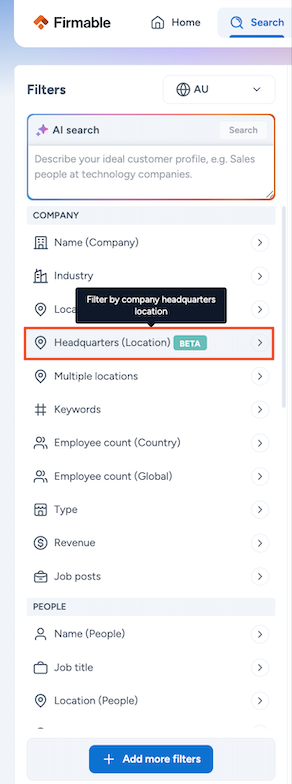
- Search the state(s) or country you want to include in your search
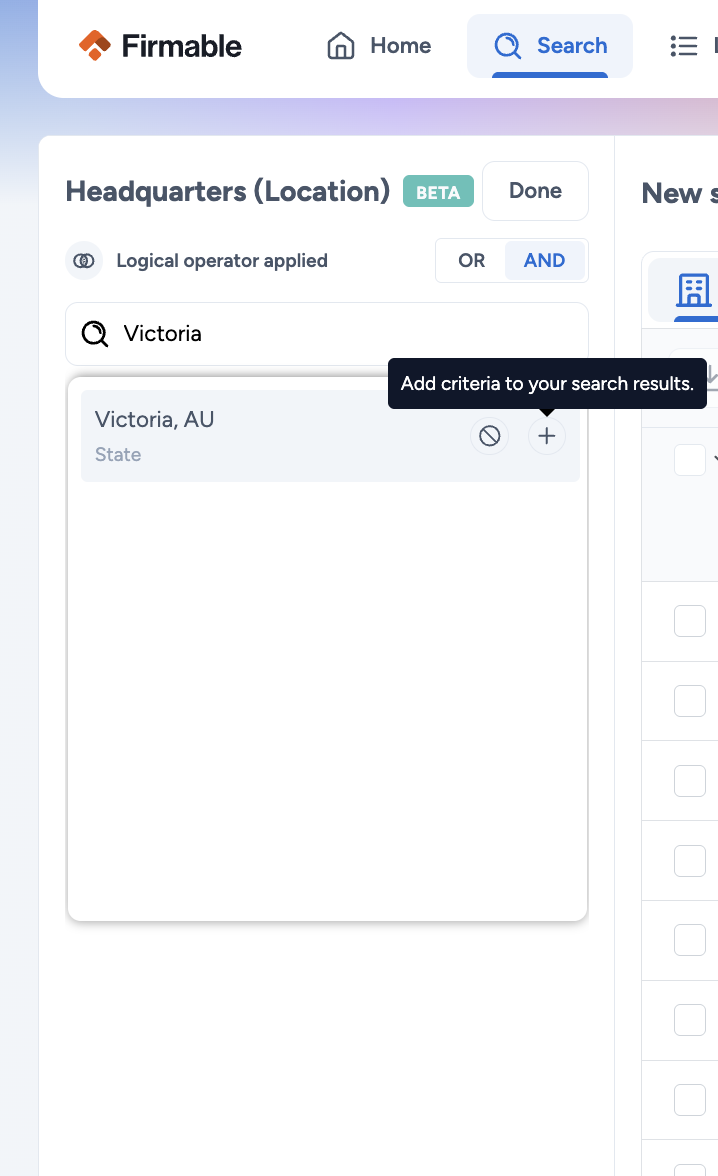
Note: Selecting a specific state (e.g., Victoria) does not automatically include companies where the state is unknown. Select HQ state unknown explicitly if you want those records included.
Why results may appear lower than expected
State level HQ data is not available for all companies. Firmable has HQ country data for many records, but state coverage varies across markets. This is expected and reflects the data available, not a platform issue.
Country availability
The HQ by State filter is currently available for searches within the following countries:
- Australia
- New Zealand
- Indonesia
- Malaysia
- Philippines
- Singapore