
Prerequisites
Before using Signal Templates, ensure the following:
- You are on a Small Teams or Teams Pro plan with Firmable.
- You have existing lists created for list-based templates. No lists yet? Learn how to create your first one here.
Note: Market-level templates do not require any lists.
What are Signal Templates?
Signal Templates give you pre-built starter agents covering the most common sales plays, from leadership changes to funding rounds. Instead of configuring a signal agent from scratch, pick a template, point it at a list (or scan the entire AU/NZ market), and your agent is ready to go in under a minute.
Choosing a template type
There are two kinds of templates:
- List-based templates: apply the play to a list of key accounts you already have in Firmable. Covers plays like leadership changes, new joiners, departures, role changes, hiring signals, growth, M&A, partnerships, financial results, and restructures.
- Market-level templates: scan the entire AU/NZ market with no list required. Covers plays like new executives, promotions, product launches, market expansion, M&A, hiring in Sales or Engineering, funding rounds, financial growth, awards, partnerships, and restructures.
For a full guide to market-level templates, see this guide.
How to create an agent from a template
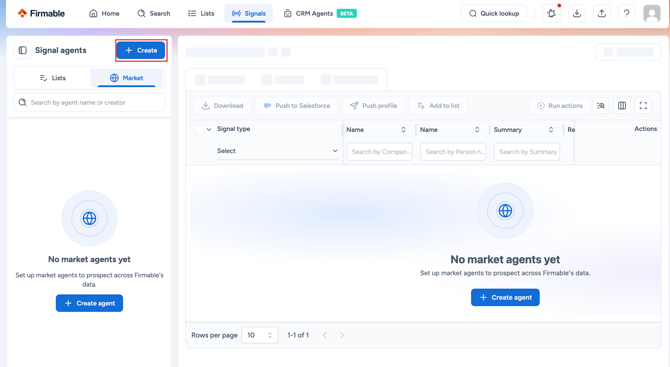
- Navigate to the Signals page and click + Create in the Signal agents panel.
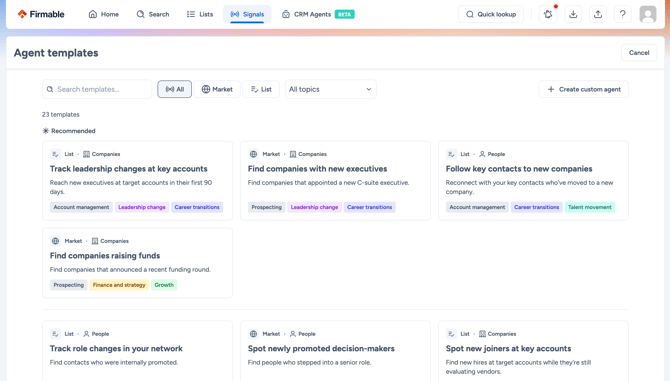
- The Agent templates gallery opens, displaying all templates. Use the Market or List filter, or search by keyword or topic to find the right play.
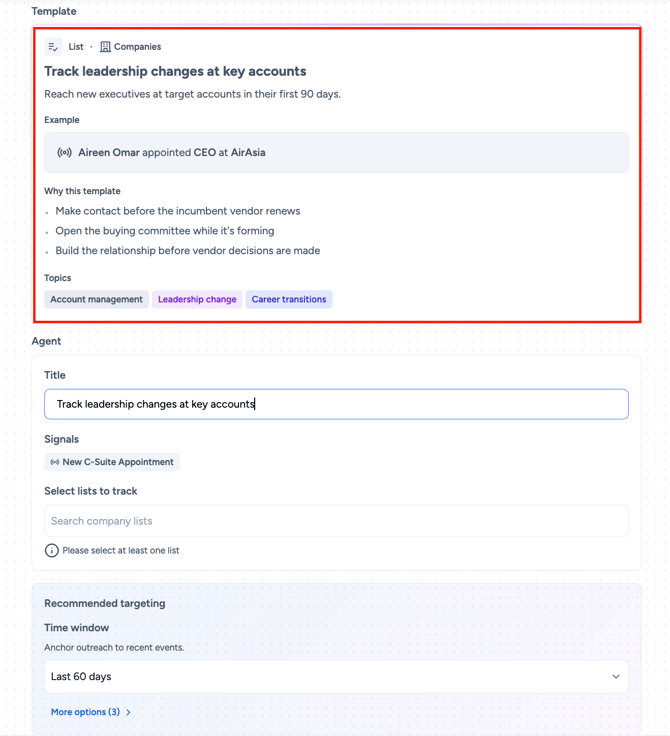
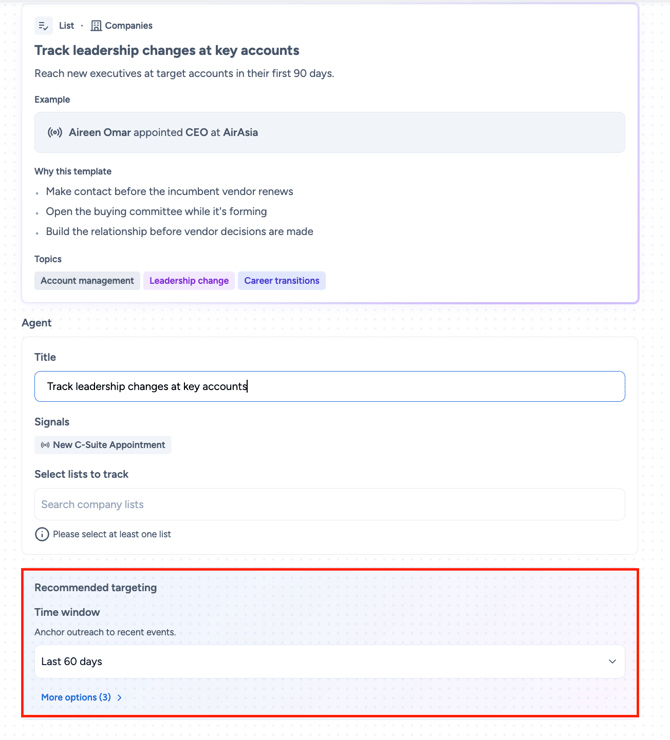
- Click a template card to open the detail view. Here you can review a worked example (for example, "Joe Bloggs appointed CEO at AirAsia"), the "Why this template" explanation covering 2 to 3 sales plays it enables, and relevant topic tags.
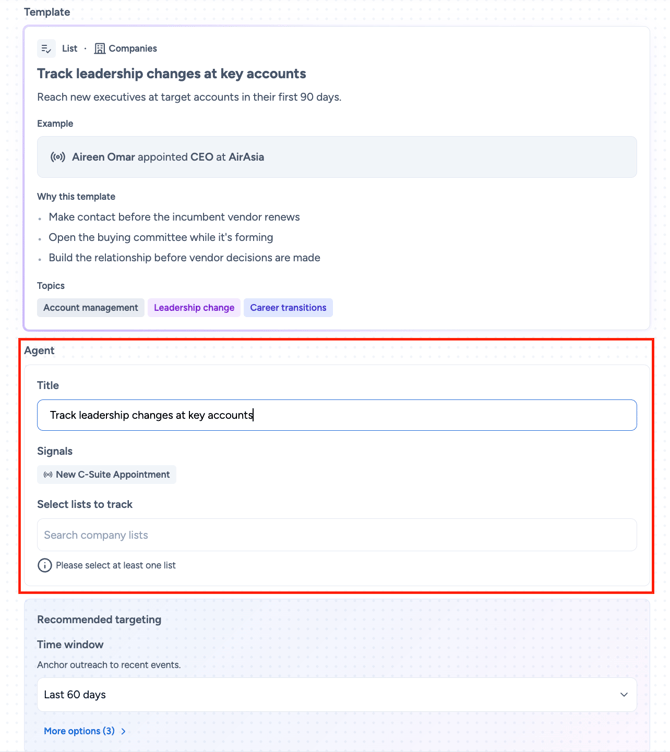
- Review the pre-filled Agent card. The title and signal type are already set. If you selected a list-based template, use the list selector to point the agent at your accounts.
- Review the Recommended targeting card, which shows the primary filter (for example, Time window = Last 60 days). Click More options to expand additional filters including Job title, Department, and Seniority.
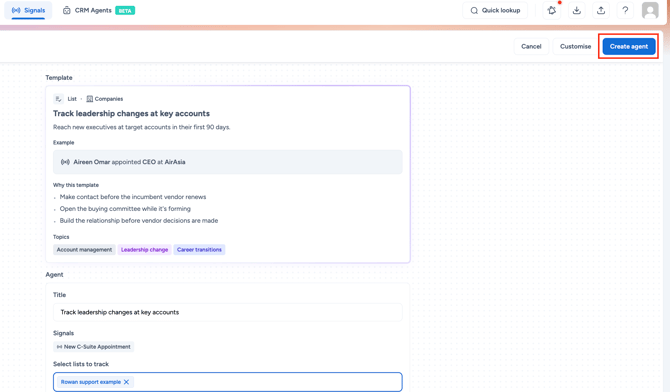
- Click Create agent to finish, or click Customise to open the full manual builder with all template values pre-filled.
Editing a template-based agent
Once created, a template-based agent works exactly like any other signal agent. You can:
- Edit the agent name, targeting values, signals, and schedule at any time.
- Add Task or Note actions via Signal Agent Actions.
- Return to the full manual builder at any time to make deeper changes.
Building an agent from scratch
If none of the templates fit your play, click + Custom agent on the templates page to open the manual builder and configure everything from scratch.
Frequently asked questions
Is the template content fixed?
- The template name, signals, and recommended targeting are pre-set. You can adjust targeting values during setup, rename the agent, or click Customise to enter the full builder for complete control.
Does picking a template lock me in?
- No. Once created, a template-based agent is just a regular signal agent. You can edit the signals, targeting, schedule, and anything else at any time.
Do templates work with Signal Agent Actions?
- Yes. After creating an agent from a template, you can edit it to add Task or Note actions, just like any other agent.
What if a template doesn't quite fit?
- Click Customise. The full manual builder opens with all the template's values pre-filled, so you can adjust signals, targeting, or any other setting.
Will more templates be added?
- Yes. The available templates are the verified starting set, with more being added over time based on customer plays.