
Prerequisites
Before using signal templates, ensure the following:
- You are on a Small Teams, Teams Pro or Enterprise plan with Firmable.
- You have existing lists created for list-based templates. No lists yet? Learn how to create and manage lists.
Note: Market-level templates do not require any lists.
What are signal templates?
Signal templates give you pre-built starter agents covering the most common sales plays, from leadership changes to funding rounds. Instead of configuring a signal agent from scratch, pick a template, point it at a list (or scan the entire AU/NZ market), and your agent is ready to go in under a minute.
Choosing a template type
There are two kinds of templates:
- List-based templates: apply the play to a list of key accounts you already have in Firmable. They cover plays like leadership changes, new joiners, departures, role changes, hiring signals, growth, M&A, partnerships, financial results, and restructures.
- Market-level templates: scan the entire AU/NZ market with no list required. They cover plays like new executives, promotions, product launches, market expansion, M&A, hiring in Sales or Engineering, funding rounds, financial growth, awards, partnerships, and restructures.
For a full guide to market-level templates, see What are market signals?
How to create an agent from a template
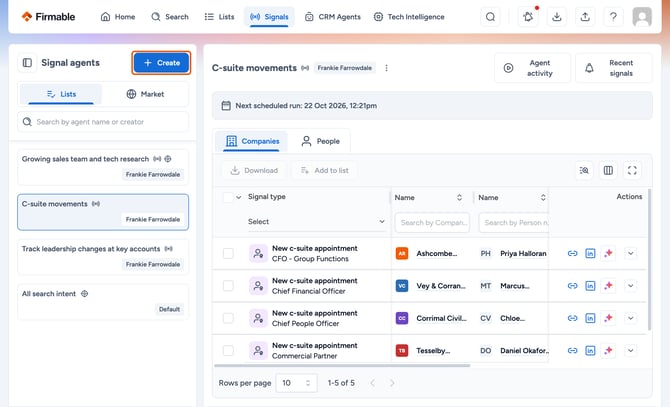
- Navigate to the Signals page and click + Create in the Signal agents panel.
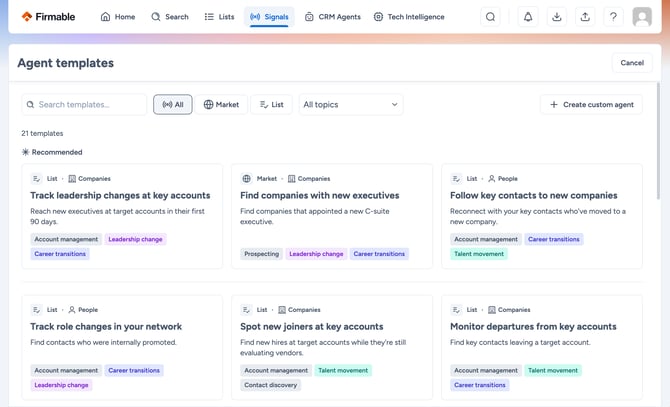
- The Agent templates gallery opens, displaying all templates. Use the Market or List filter, or search by keyword or topic to find the right play.
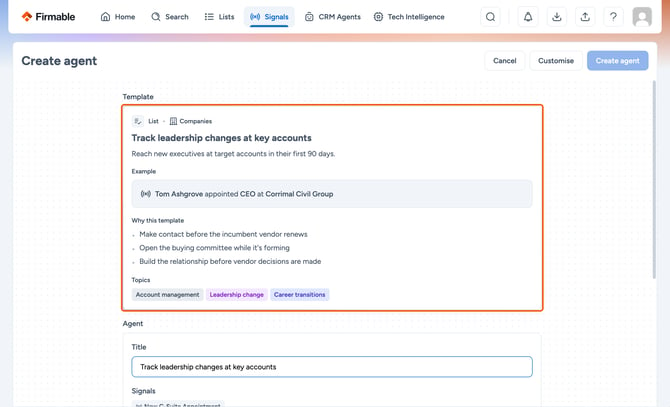
- Click a template card to open the detail view. Here you can review a worked example (such as a new CEO appointed at a target account), the "Why this template" explanation covering 2 to 3 sales plays it enables, and relevant topic tags.
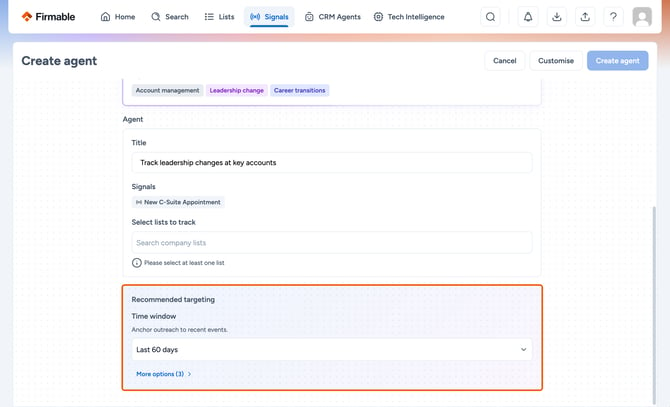
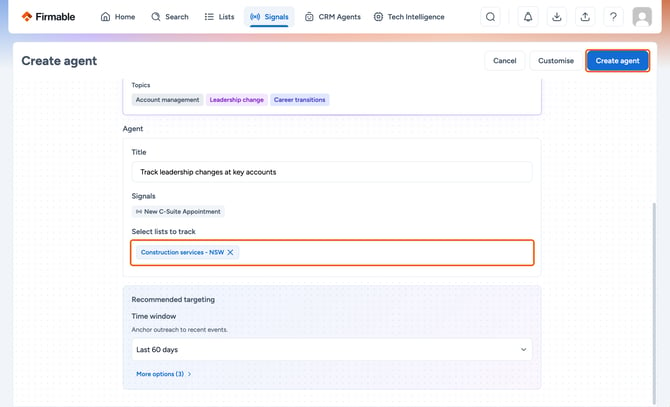
- Review the pre-filled Agent card. The title and signal type are already set. If you selected a list-based template, use the list selector to point the agent at your accounts.
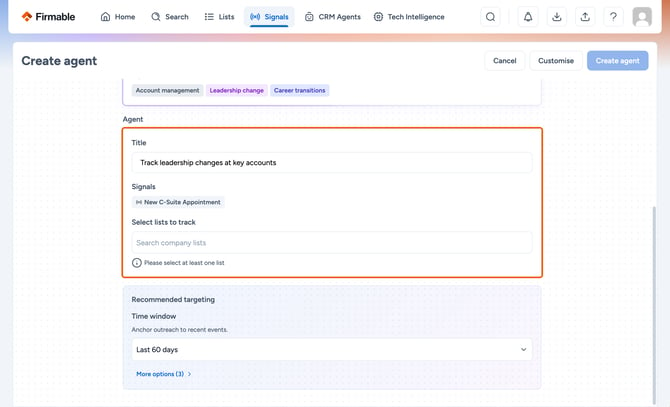
- Review the Recommended targeting card, which shows the primary filter (for example, Time window = Last 60 days). Click More options to expand additional filters including Job title, Department, and Seniority.
- Click Create agent to finish, or click Customise to open the full manual builder with all template values pre-filled.
Editing a template-based agent
Once created, a template-based agent works exactly like any other signal agent. You can:
- Edit the agent name, targeting values, signals, and schedule at any time.
- Add CRM actions, such as Create task or Create note, in the Configure actions step (Admins only).
- Return to the full manual builder at any time to make deeper changes.
Building an agent from scratch
If none of the templates fit your play, click Create custom agent on the templates page to open the manual builder and configure everything from scratch.
Frequently asked questions
Is the template content fixed?
- The template name, signals, and recommended targeting are pre-set. You can adjust targeting values during setup, rename the agent, or click Customise to enter the full builder for complete control.
Does picking a template lock me in?
- No. Once created, a template-based agent is just a regular signal agent. You can edit the signals, targeting, schedule, and anything else at any time.
Do templates work with Signal agent actions?
- Yes. If you’re an Admin, after creating an agent from a template you can edit it to add CRM actions such as Create task or Create note, just like any other agent.
What if a template doesn't quite fit?
- Click Customise. The full manual builder opens with all the template's values pre-filled, so you can adjust signals, targeting, or any other setting.
Will more templates be added?
- Yes. The available templates are the verified starting set, with more being added over time based on customer plays.