
AI search turns a plain-English description of who you're looking for into search filters. You can check and change the filters it applies, then keep refining. AI search is available on all plans.
Search with AI search
- Go to Search.
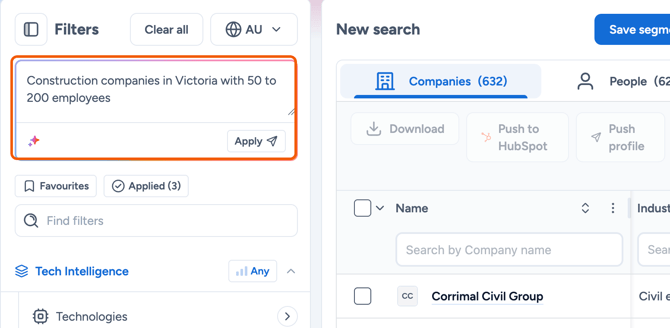
- In the box at the top of the Filters panel, describe the companies or people you want, for example "Construction companies in Victoria with 50 to 200 employees".
- Press Enter or click Apply. Firmable maps your description to filters and runs the search.
Check the filters it applied
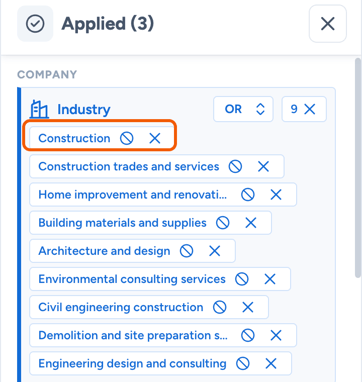
- Click Applied to see every filter AI search set.
- Remove a value with its X, exclude it with the exclude icon, or open any filter to change it.
- To start again, click Clear all.
- To keep the search, click Save segment.
Running a search doesn't use credits.
Learn more: