
Prerequisites
Before initiating the integration, ensure the following:
- You are on a Small Teams, Teams Pro or Enterprise plan with Firmable.
- You have the Admin, Manager or Integration role on Firmable and the Super Admin role in HubSpot.
- Log in to HubSpot in a separate tab before integrating Firmable.
Note: If your company has multiple Admins, the app only needs to be installed once by one Admin. All other Admins and users can subsequently use it.
Integration setup
Connect the integration
- Log in to your Firmable account to begin your installation process.
- Click your profile picture (top right) and select Manage account.
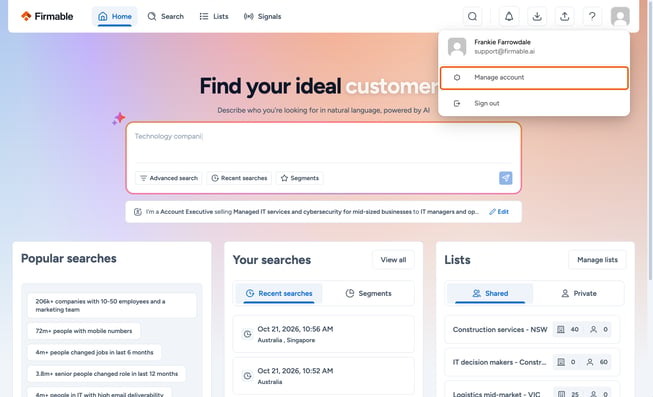
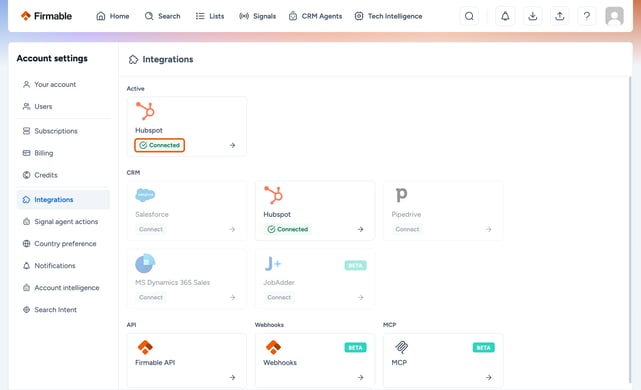
- In the Account settings sidebar, click on Integrations.
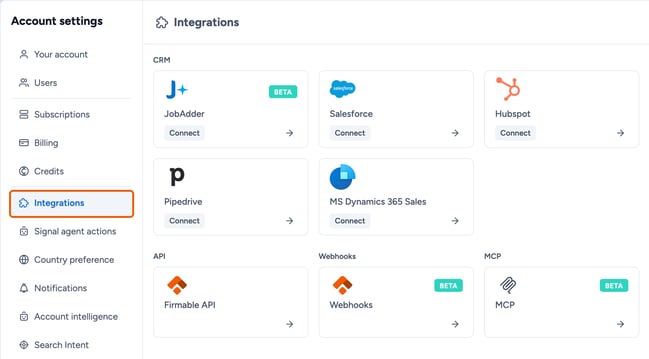
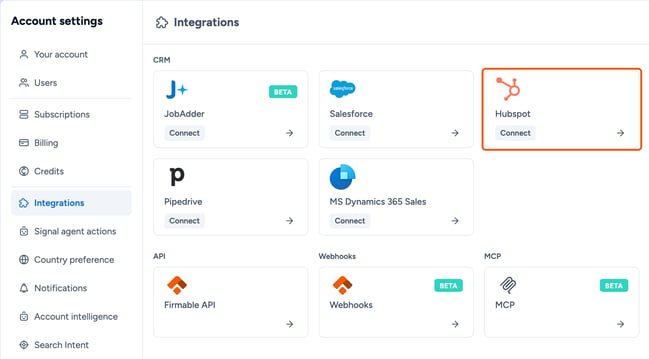
- Locate the HubSpot integration and click Connect.
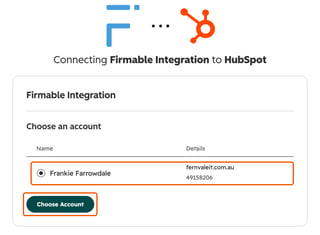
- Choose the HubSpot account you wish to connect with Firmable and click Choose account.
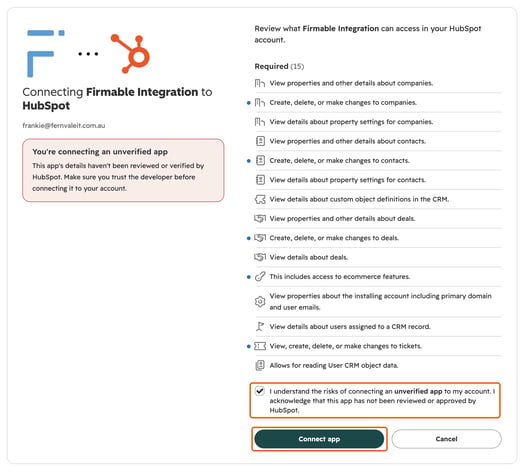
- You’ll be provided with a summary of the access the Firmable HubSpot Integration needs from your HubSpot account. This lets Firmable update the records you choose to enrich. If HubSpot says you’re connecting an unverified app, tick the checkbox to confirm. Then review the access and click Connect app.
- Now your HubSpot Integration will be connected to your Firmable account.
How to map users (optional but recommended)
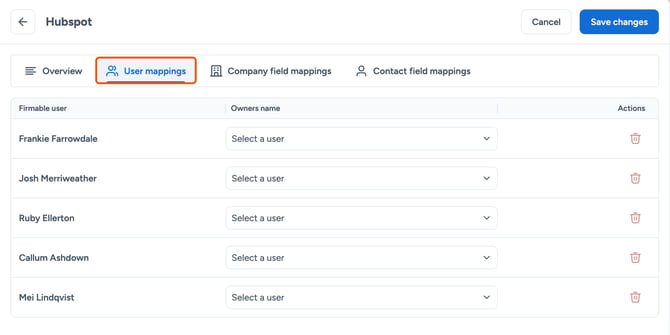
If users are not mapped, the default behaviour is to leave the record owner field blank.
- Click on User mappings.
- Click Save changes.
Mapping company properties
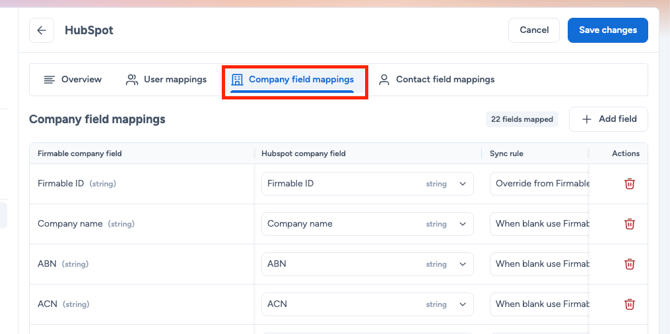
Note: Firmable matches company records by website domain, so ensure the domain or website field is mapped correctly at your endpoint to enable accurate record matching downstream and avoid duplicate records.
- Click on Company field mappings.
- Click Save changes.
Note: During mapping, ensure that the data types match between HubSpot and Firmable so that the data can be pushed to HubSpot without errors. Firmable supports Text, Number, and Boolean field types, but for optimal compatibility, map to Text type fields in HubSpot.
Mapping contact properties
Note: Firmable matches people records by email address, so ensure the email field is mapped correctly at your endpoint to enable accurate record matching downstream and avoid duplicate records.
- Click on Contact field mappings
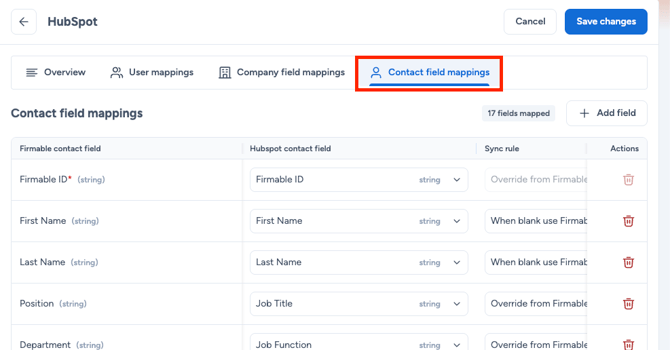
- Click Save changes
Your HubSpot Integration is now set up and ready for use.