
You can now use your Firmable API key with Clay to use your Firmable credits when enriching records in Clay. Clay lets paid customers add API keys for external data providers, so when you connect Firmable, Clay will run enrichments using your Firmable API and credits instead of Clay credits. Any record enriched via the Firmable API is also unlocked in your Firmable account, so if you re-enrich or export that same record later, you will not be charged again.
Learn more:
- Benefits of using a Firmable API key in Clay
- How to create an API key in Firmable
- How to enter your Firmable API key in Clay
Prerequisites
- You are on an Enterprise plan with Firmable. If you’re on an Individual, Small Teams or Teams Pro plan and would like API access, email support@firmable.ai to upgrade.
- You have the Admin, Manager, Partner or Integration role on Firmable.
- You have set up the Firmable API.
- You must be on a paid Clay plan (Starter/Explorer/Pro or above) to use your own API keys for enrichment.
Benefits of using a Firmable API key in Clay
-
Cost control:
-
Use your Firmable credits for Firmable enrichments within Clay, giving you clearer visibility and control over how your Firmable API usage is applied across enrichment workflows.
-
- Flexibility and fallback logic:
- Clay’s enrichment workflows support waterfall logic, so you can start with Firmable using your API key, then automatically fall back to another provider if no results are returned. This helps ensure coverage while keeping workflows efficient and reliable.
When you set up an enrichment, Clay will use its managed provider account by default. If you’re on a paid plan (Starter, Explorer, Pro, or above), you can select Add account or switch the enrichment to use your Firmable API key instead.
How to create an API key in Firmable
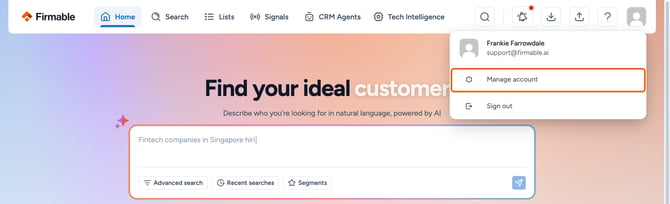
- Click your profile picture (top right) and select Manage account.
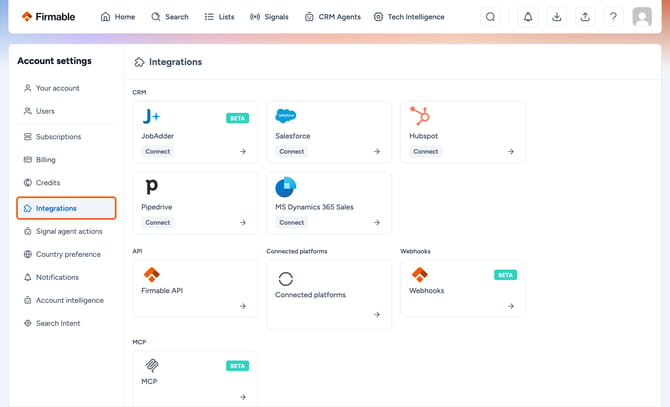
- Click Integrations in the Account settings sidebar.
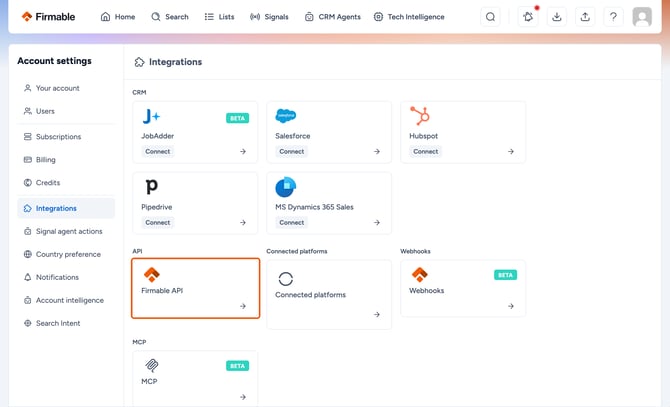
- Click the API card.
- Click Generate API key.
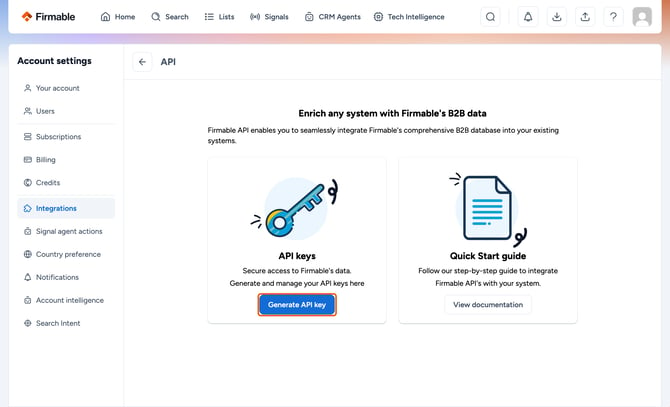
- Your API key has now been generated.
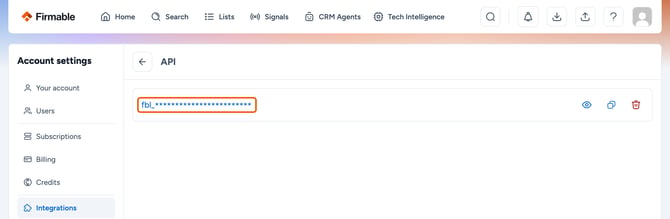
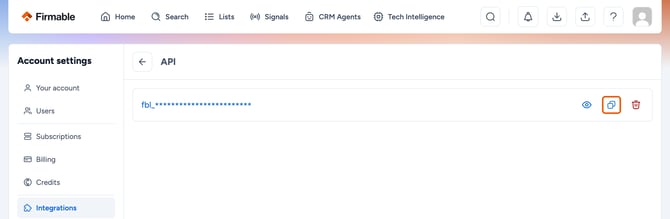
- Copy your API key.
How to enter your Firmable API key in Clay
- Head over to your Clay workspace.
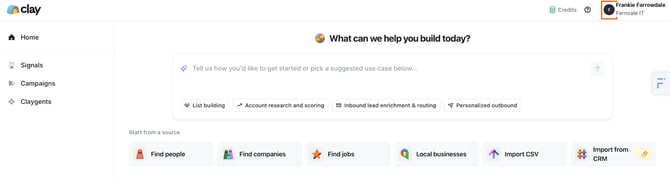
- Click your profile picture in the top right corner.
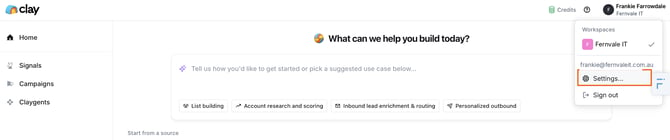
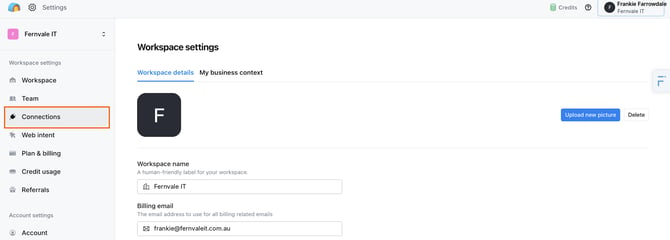
- Click Settings.
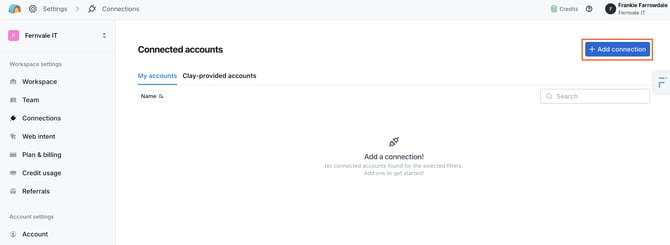
- Navigate to the Connections section and click +Add connection to add your new API key.
- Find Firmable under the "Connect an account" list.
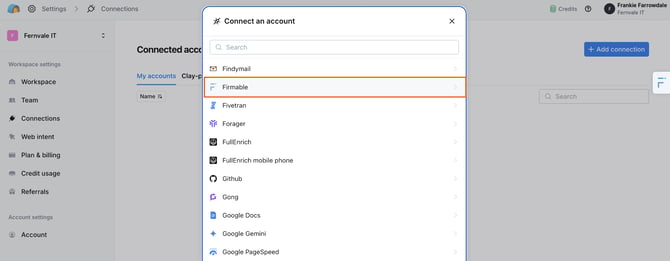
- Name your connection.
- Enter your Firmable API key.
- Click Save.
Important note: Store your API key securely and never expose it in public repositories or client-side code.
We hope this article has helped you understand the Firmable integration with Clay.